
App Of The Week: Rubik's Eversion
An AI-assisted development story

For those new to this Substack: I alternate between general posts about issues in AI (always on Tuesdays) and posts later in the week about educational apps I have built to demonstrate the possibilities of this new technology.
I recently gave a public talk in which I did a demo of AI-assisted app building. Just before the talk I wrote a prompt for what I thought would be a relatively simple little web game: a Rubik’s cube, as viewed from the inside. It ended up not being the best choice for a public demo. The coding agent took more time than I had during the presentation just to come up with the first version, and it took another two hours afterwards to get something that I was happy with. However, I think the whole process may be instructive. Many people have the mistaken impression that vibe-coding an app is just a matter of telling an AI what you want, and it just magically happens. The truth is that even though you no longer have to write code, it still takes time, effort, deep thought, and patience.
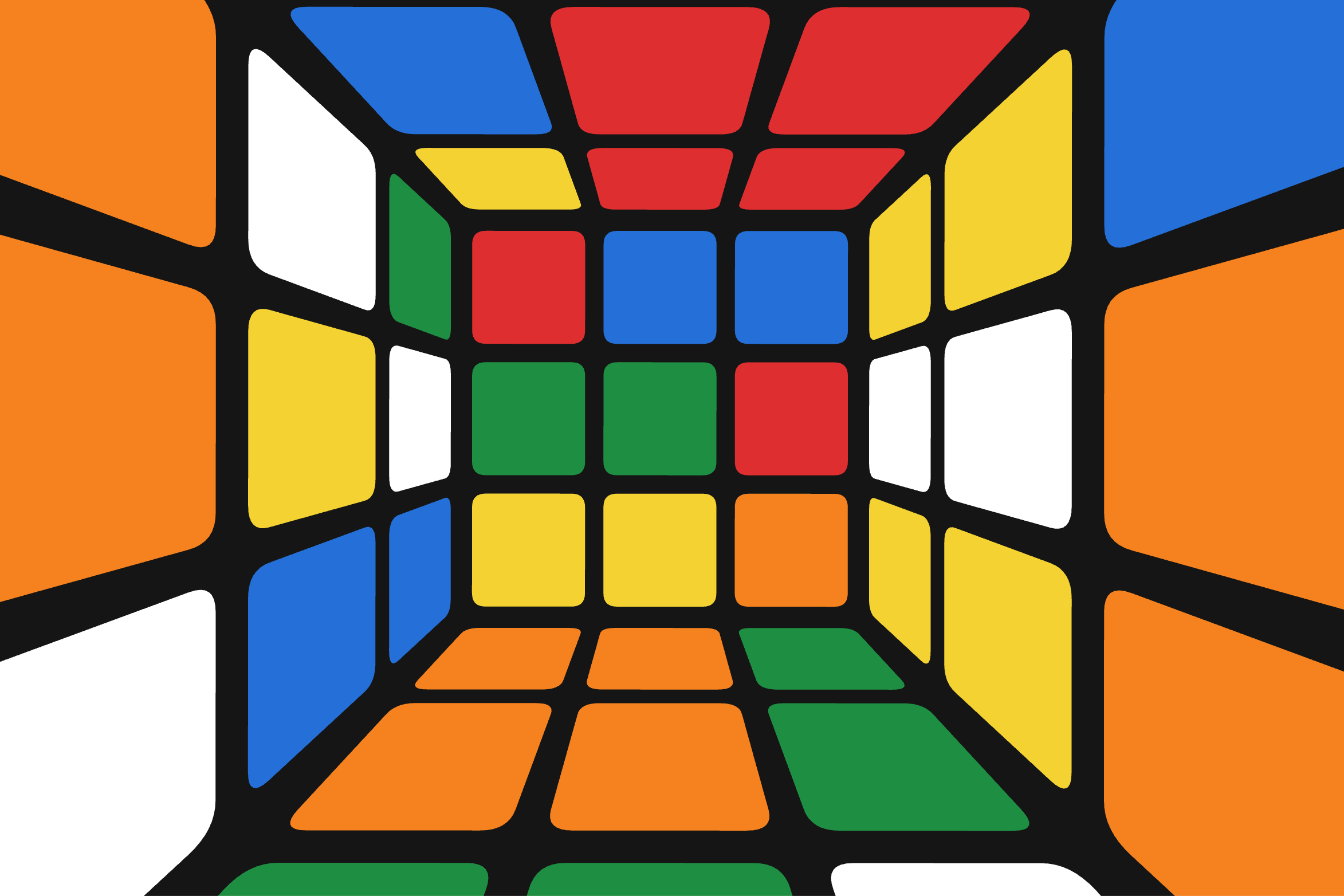
An inside-out Rubik’s cube sounds simple enough, but I knew from experience that this description alone wouldn’t be enough of a prompt. To make a successful app, you have to think through as many details as possible. In the past I’ve written out two pages of specifications for my initial prompt. This was going to be a much simpler app, so I knew I wouldn’t need nearly that much detail, but there were a few things I was going to have to specify: How will the user rotate the cube? How will they rotate each face? How much of the cube will they see at any one time? Etc. Here was my initial prompt:
Create a web app game that looks like you are in the center of a Rubik’s cube. Two finger drag on the trackpad to rotate the cube around you. After rotating, the cube should snap to the nearest position so that a face of the cube is being viewed orthogonally. One finger swipe to the right should rotate the face you are looking at clockwise, and one finger swipe left should rotate counter-clockwise. The field of view should be set so that the face you are facing toward is entirely visible, as well as the first adjacent row of the neighboring faces, and a tiny bit of the second row. Put the title of the app in the top menu bar: “Rubik’s Eversion”.
After an initial period where the agent fleshed out the details in “plan mode,” it worked for about 17 minutes and came up with version 1 of the app. It was terrible! That’s something I haven’t talked about here before. You should always expect that the first attempt is not going to be what you want. Even though the agent is doing the coding for you, there’s still a lot of work and thinking to do to refine it. For complex projects, I’ve gone back-and-forth with the coding agent for two to three weeks refining the app before it was satisfactory. In this case, there were a host of issues: the rotation controls were both awkward to use and reversed, too little of the cube was visible, animation effects were jumpy, the stickers had ugly sharp corners, etc.
Below is a video of that initial version in action, but to get a better sense of how bad it was, you should play with it. I’ve preserved this first version here: https://davbachman.github.io/RubiksEversionV1/.
After this initial version it took another two hours of back and forth prompting to get an app that I was happy with. I think it’ll be instructive for some to see my prompts in that conversation. Feel free to just skip this and scroll down to the bottom to see the final, finished app.
“Make these changes:
1) Change to one-finger click-drag to rotate the entire cube around the viewer.
2) To rotate a face, the user should use two fingers on the trackpad in a twisting motion.
3) The FOV is wrong. I should see a wider field.”
“Both one-finger and two finger rotations are reversed.”
“Move the camera backwards, but make sure it is still inside the cube. More of the cube should then be visible.”
“When one-finger drag finishes, current behavior is that the view snaps so that you are looking at a face orthogonally. That’s correct, but the view also rotates so the sides of the face you are looking at become parallel to the sides of the screen. Let’s remove that rotation behavior.”
“Let’s move the camera backwards even more so it’s outside the cube, but don’t render the nearest face of the cube.”
“Adjust the FOV now so it looks more natural.”
“Whole cube rotation is nice and smooth, but face rotation is not. It looks like the corner squares of the rotating face disappear and then reappear, which makes it look jumpy. Instead, those corner squares should be partially occluded by the fixed faces as it rotates, which is what you would see if you are really inside a physical rubiks cube.”
“Fillet the corners of the stickers”
“Two finger twist on mobile doesn’t work well. Remove that for mobile. Twisting action can just happen with toolbar buttons.”
“Looks like a sign error. The twist toolbar buttons trigger the opposite face rotation.”
Here’s a video of the final app:
Play with it here. Works great on mobile!
David Bachman is a professor of Mathematics, Data Science, and Computer Science. He writes about AI and its real-world impacts. To learn more about his academic work, mathematical art, or AI speaking, consulting, and curriculum development, visit davidbachmandesign.com.